Boutique stay
A quiet Mediterranean hotel website with editorial rooms, stay dates and availability-service wiring.
Screen preview
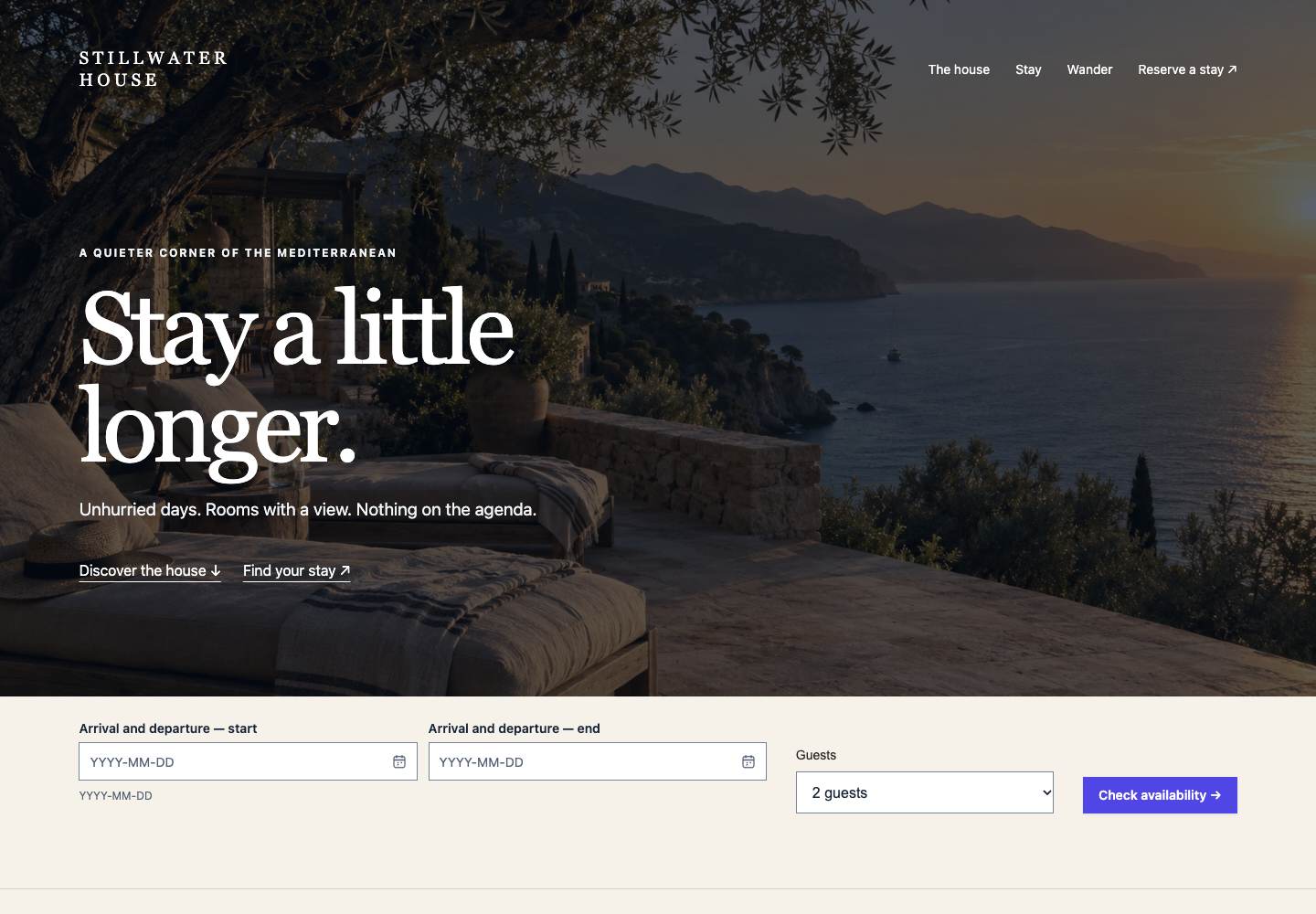
The image below shows the TypeScript screen. Open the web preview to try its controls; it runs the same source included in the starter.
What is custom?
Stillwater House combines a full-width HeroSection, an arch-shaped room image, an editorial room layout and a working date-range field. Room details open in Drawer.
Additional CSS: website-templates.css owns template layout, typography, branding, spacing, responsive rules and finite entrance effects. It respects reduced motion. Component behavior remains in the library.
Web / TypeScript setup
Components used
HeroSection · MediaImage · ShapeMask · DateRangePicker · Drawer · Descriptions · Button
Files to copy
stay.ts · website-shared.ts · website-templates.css
- Install
@blukavantui/communityusing the downloadable starter. Copy these files together into your templates directory. - Load
@blukavantui/community/theme.cssonce. Keep the component CSS imports and the localwebsite-templates.cssimport; use a bundler that supports CSS. - Call
mount(host, env), then calldestroy()when removing the screen. Each instance owns and disposes its components.
import '@blukavantui/community/theme.css'
import {mount} from './templates/stay'
const screen = mount(document.getElementById('app')!, {
  assetBase: '/assets/templates/',
  galleryUrl: '/templates',
})
// On route exit: screen.destroy()
Data and actions
Replace the fictional hotel content and photographs. Supply env.onAvailability({arrival, departure, guests}) to query your booking service and return a message. Validate dates, occupancy, availability and rates on the server. The supplied preview makes no reservation.
Images and appearance
Download the template photographs or host your own, then set assetBase to their directory. Stillwater uses stay-coast.jpg and stay-suite.jpg; Fieldwork uses advisory-house.jpg, portrait-2.jpg and interior.jpg. Keep the included source/attribution manifest and use meaningful alternative text. Marketing screens explicitly use the light palette for their branded compositions. Split Login follows the application theme for its form and uses the light palette for its workspace illustration. The local composition styles preserve the template’s visual identity; test your replacement content and colors for contrast, keyboard operation and mobile reflow.
OutSystems Community setup
Copy TemplateStay from BluKavantUi_Community_Demo, together with its private WebsiteTemplateLayout layout and required assets. Producers: BluKavantUi_Community_Core, BluKavantUi_Community_Inputs, BluKavantUi_Community_Data, BluKavantUi_Community_Feedback, BluKavantUi_Community_Content, BluKavantUi_Community_Layout.
Components: HeroSection · MediaImage · ShapeMask · DateRangePicker · Drawer · Descriptions · Button.
- Select the referenced Blocks, public structures and static entities in Manage Dependencies. Use the original producer-owned types.
- Set
BluUICommunityThemefromBluKavantUi_Community_Coreas your consumer’s Base Theme. - Copy
WebsiteTemplateLayoutwith its Style Sheet and placeholders. Preserve the screen’s classes, locals, lifecycle and event handlers. Each library Block supplies its own runtime and CSS. - Replace sample data and preview actions with validated Server Actions. Apply your own access roles; do not inherit demo permissions blindly.
Replace the fictional hotel and native photo Resources. DatesChanged and DatesValidated keep the range state; replace CheckAvailability with a validated Server Action that checks dates, guests, availability and rates. ShowTerrace and ShowGarden populate the room Drawer. The supplied preview makes no reservation.
The native shared layout includes website-templates.css plus scoped adjustments for native wrappers and the existing login form. Copy its full Style Sheet with the layout.
Community on Web and OutSystems
Every component used by this template is Community. The Community Web starter includes this screen and its shared files, using @blukavantui/community.
The native TemplateStay screen is published in BluKavantUi_Community_Demo. Copy its private WebsiteTemplateLayout layout and preserve producer-owned types, scripts and event mappings. Your application supplies access roles, authentication and persistence.
All nine Community and five Pro native templates are published in the development environment. Official Forge distribution remains pending.